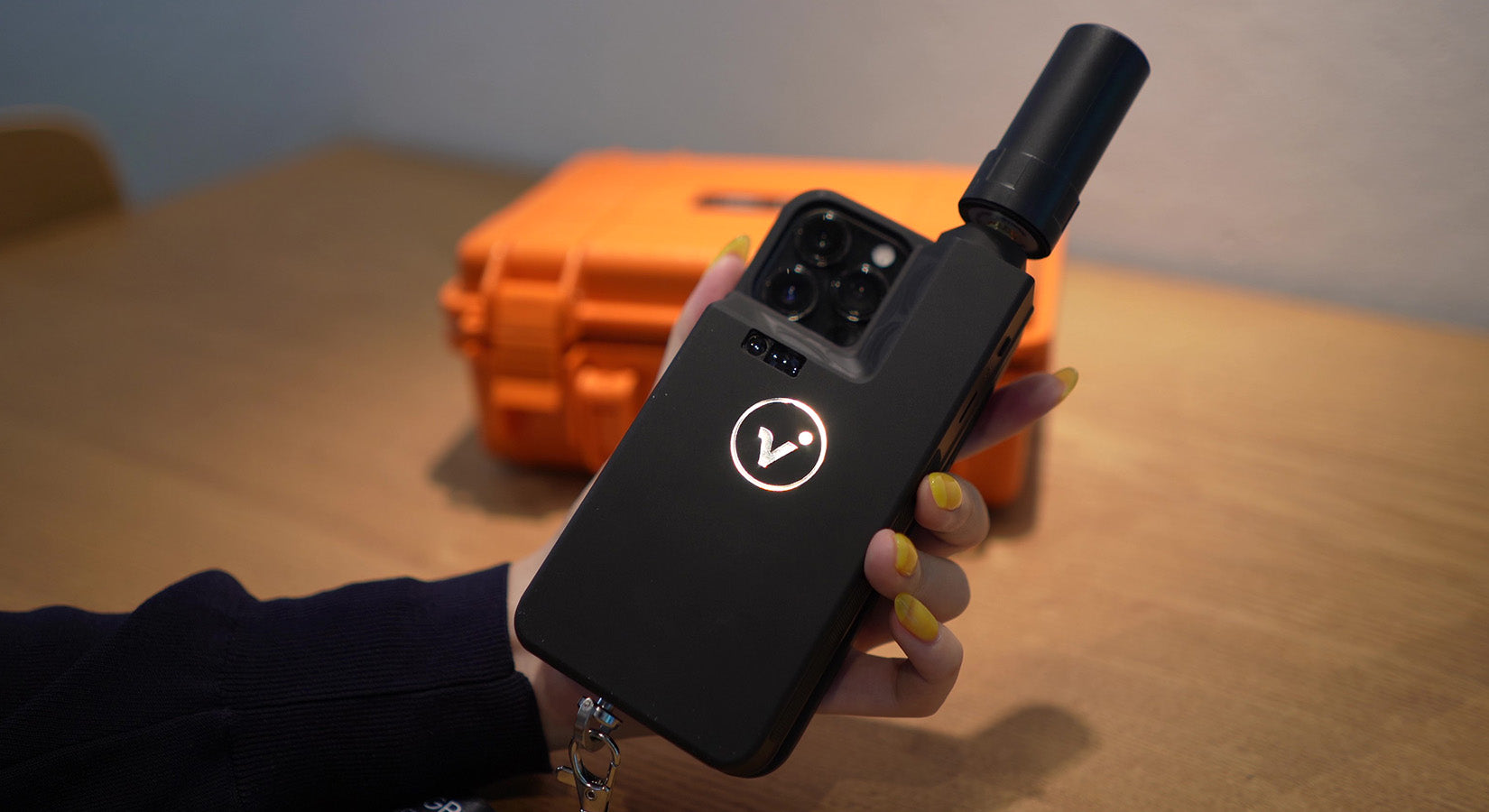
Furthermore, the accuracy of the photographic position measured by the viDoc RTK rover is said to be within a few centimeters, so we actually used it to verify its accuracy.
The free app " PIX4Dcatch " must be installed on your smartphone beforehand, and the viDoc RTK rover must be paired with your smartphone via Bluetooth before use.
By combining it with the Ntrip real-time correction data distribution service, the system is able to record highly accurate shooting positions, so in order to use viDoc RTK rover, users will need to sign up for an Ntrip service connection themselves.
■How to use viDoc RTK rover
First, we will briefly introduce how to use viDoc RTK rover.1. Photograph the target object using a smartphone or tablet equipped with the viDoc RTK rover

2. Upload the captured data to the cloud*

3. Uploaded data is automatically converted into 3D models and point clouds, which can be accessed from the cloud at any time.

*You can export to desktop processing software as well as the cloud.
PIX4Dmapper / PIX4Dmatic (desktop processing)
PIX4Dcloud / PIX4Dcloud Advanced (Cloud processing)
*For desktop processing, we recommend using PIX4Dmatic, which is optimized for PIX4Dcatch processing.
■ How to verify location accuracy
The method used to verify the location accuracy is as follows:1. Use surveying equipment to obtain the location information of the verification point. 2. Use a smartphone to measure the object using the pattern A/B. A. Measure using the viDoc RTK rover. B. Measure using only the smartphone's GPS without using the viDoc RTK rover. 3. Compare the values measured in 1 and 2 to see how much difference there is in location accuracy.
That's all for today's verification.
Now let me show you how the actual work goes.
1. Use surveying equipment to obtain location information for the verification point
Using surveying equipment, the location information of the verification points is obtained point by point.
2. (A) Measurement using viDoc RTK rover

*Please make sure that the Status in the upper left corner of your smartphone screen is set to RTK Fixed before starting shooting.
*The number of photos taken will be counted at the bottom left of the screen.
2. (B) Measurement using only the smartphone's GPS without using the viDoc RTK rover

Upload captured data to the cloud
Data was captured with and without the viDoc RTK rover.After making the appropriate settings, upload the captured data to PIX4Dcloud.

Once uploaded, a 3D model and point cloud will be automatically generated.
Although it depends on the number of photos, it took about an hour for the 786 photos taken this time to be uploaded and processed to generate the 3D model and point cloud.
Once completed, you will receive a notification via email in your PIX4D account.
Reviewing processed data
Data uploaded to the cloud can be viewed on PIX4Dcloud or PIX4Dmatic.Calculate distance, area, and volume and perform virtual inspections.

3. Accuracy comparison and verification results
We compared the coordinates measured with surveying equipment and those measured with a smartphone.▼viDoc RTK without rover
 When measuring using only the smartphone GPS without using the viDoc RTK rover, the difference was approximately 2m20cm at minimum and 25m10cm at maximum.
▼viDoc RTK rover available
 In contrast, the difference measured using the viDoc RTK rover was kept to a few mm to a few cm.
By the way, the volume is now like this.
Approximately 108 m3 with viDoc RTK rover
Approximately 111m³ without the viDoc RTK rover
It is difficult to say anything about the volume as there is no positive comparison, but in terms of positional accuracy, we were able to significantly reduce the difference by using the viDoc RTK rover.
I think this proves that it is possible to easily perform 3D scanning with highly accurate location information using a smartphone or tablet, regardless of location.
■ Compatible devices
The following smartphones and tablet devices are compatible with viDoc RTK rover.・Smartphone
iPhone 12 Pro
iPhone 12 Pro Max
iPhone 13 Pro
iPhone 13 Pro Max
iPhone 14 Pro
iPhone 14 Pro Max
·tablet
iPad Pro (11-inch, 2020/2021/2022 models)
iPad Pro (11-inch, 2021 model)
We are an authorized distributor of viDoc RTK rover in Japan, so please request a quote from the page below.
viDoc RTK rover product page and quote request here
We have also made a video of the verification process, so please take a look if you are interested.